01 — Engraving
What comes out
Six pages, one engine. Each is a plain .lys file rendered
with lysc svg; the source is under every one.
Choral octavo
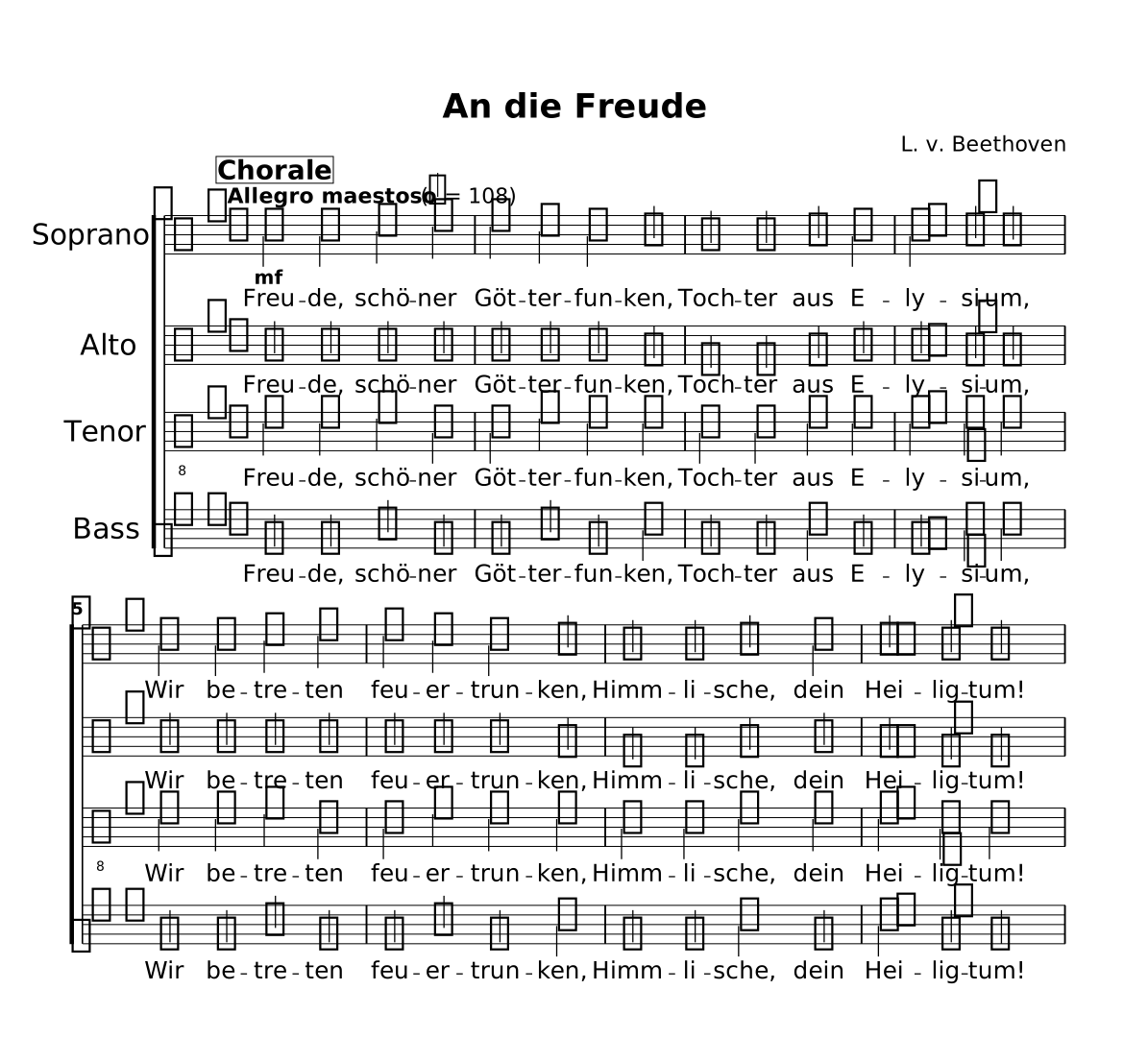
An die Freude — Beethoven, four voices with a verse under every staff.
Show the source
// An die Freude — Beethoven, Symphony No. 9, Op. 125 (1824); text by Schiller.
// Public domain; four-part setting written for this showcase.
// The chorale is homophonic and all four voices sing the same words, so ONE lyric
// track is written and each score row binds it to the staff it sits under.
title "An die Freude"
composer "L. v. Beethoven"
tempo "Allegro maestoso" 4 = 108
time 4/4  key g major

part sop { clef treble }
part alt { clef treble }
part ten { clef treble_8 }
part bas { clef bass }

section Chorale {
  sop { b'4@mf b c d | d4 c b a | g4 g a b | b4. a8 a2 |
        b4 b c d | d4 c b a | g4 g a b | a4. g8 g2 | }
  alt { g'4 g g g | g4 g g fis | d4 d fis g | g4. fis8 fis2 |
        g4 g g g | g4 g g fis | d4 d fis g | fis4. d8 d2 | }
  ten { d'4 d e b | b4 e d d | b4 b d d | d4. d8 d2 |
        d4 d e b | b4 e d d | b4 b d d | d4. b8 b2 | }
  bas { g,4 g c g | g4 c g d' | g,4 g d' g, | g4. d'8 d2 |
        g,4 g c g | g4 c g d' | g,4 g d' g, | d'4. g,8 g2 | }

  lyrics verse {
      Freu- de, schö- ner | Göt- ter- fun- ken, | Toch- ter aus E- | ly- si- um, |
      Wir be- tre- ten | feu- er- trun- ken, | Himm- li- sche, dein | Hei- lig- tum! | }
}

form main { Chorale }

score main {
  choirStaff {
    staff sop "Soprano"
    lyrics verse sings sop
    staff alt "Alto"
    lyrics verse sings alt
    staff ten "Tenor"
    lyrics verse sings ten
    staff bas "Bass"
    lyrics verse sings bas
  }
}
Guitar book
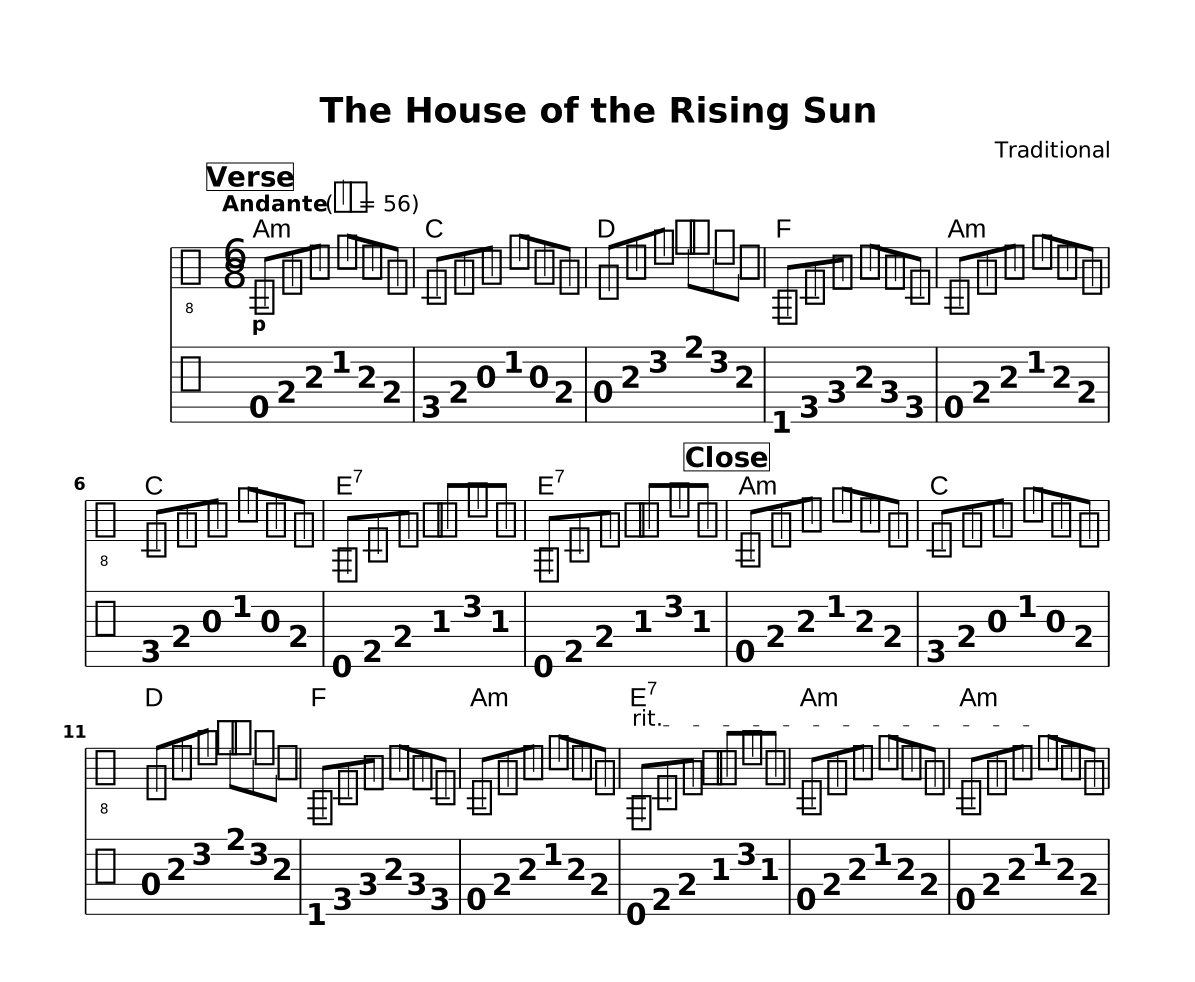
The House of the Rising Sun — notation and tablature from one part.
Show the source
// The House of the Rising Sun — traditional (American folk, public domain).
// Fingerstyle arrangement written for this showcase: 6/8 arpeggios in open position.
// One part, two rows: `staff gt` engraves the notation and `tab gt` the tablature.
title "The House of the Rising Sun"
composer "Traditional"
tempo "Andante" 4. = 56
time 6/8  key a minor

part gt { clef treble_8 tuning guitar }

phrase Amchord { a8 e' a c\2 a e | }
phrase Cchord  { c8 e g c g e | }
phrase Dchord  { d8 a' d fis d a | }
phrase Fchord  { f,8 c' f a f c | }
phrase E7chord { e,8 b' e gis d' gis, | }

section Verse {
  chords prog { Am | C | D | F | Am | C | E7 | E7 | }
  gt { a8@p e' a c\2 a e | Cchord Dchord Fchord Amchord Cchord E7chord E7chord | }
}

section Close {
  chords prog { Am | C | D | F | Am | E7 | Am | Am | }
  gt { Amchord Cchord Dchord Fchord Amchord
       e8@rit b' e gis d' gis, | a,8 e' a c\2 a e | a,8 e' a c\2@!rit a e | }
}

form main { Verse Close }

score main "rising-sun" {
  chords prog     // the symbols, above ...
  staff gt        // ... the notation ...
  tab gt          // ... and the tablature under it
}
Lead sheet
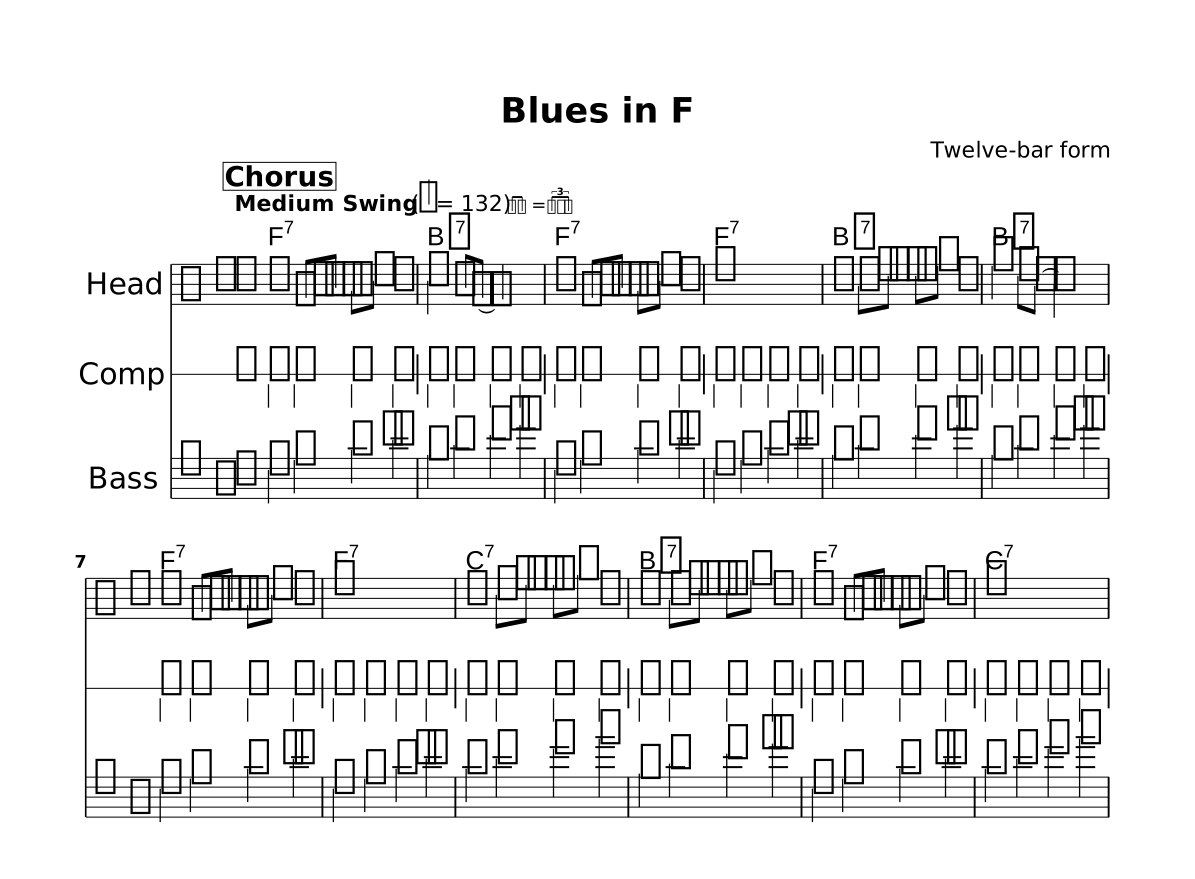
Blues in F — a written head over a one-line slash staff and a walking bass.
Show the source
// Blues in F — a twelve-bar blues head written for this showcase. The form is
// traditional; the head, comping figure and walking line are original.
// Four rows from one source: chords, the written head, a ONE-LINE slash staff
// for the rhythm section, and a walking bass.
title "Blues in F"
composer "Twelve-bar form"
tempo "Medium Swing" 4 = 132 swing
time 4/4
key f major

part head { clef treble }
part comp { clef treble }
part bass { clef bass }

phrase riffF   { r4 f8 aes a c r4 | }
phrase riffBb  { r4 bes'8 des d f r4 | }
phrase riffC   { r4 c'8 ees e g r4 | }
phrase comping { /4 4 4 4 | }

section Chorus {
  head { riffF | c'4 a8 f~ f2 | riffF r1 |
         riffBb | f''4 d8 bes~ bes2 | riffF | r1 |
         riffC | riffBb | riffF | r1 | }
  comp { repeat unfold 12 { comping } }
  bass { f,4 a c ees | bes d f aes | f,4 a c ees | f,4 a c ees |
         bes d f aes | bes, d f aes | f,4 a c ees | f,4 a c ees |
         c4 e g bes | bes, d f aes | f,4 a c ees | c4 e g bes | }
  chords prog { F7 | Bb7 | F7 | F7 | Bb7 | Bb7 | F7 | F7 | C7 | Bb7 | F7 | C7 | }
}

form main { Chorus }

score main "blues-in-f" {
  chords prog            // symbols across the top
  staff head             // the written melody
  staff comp as lines 1  // one-line slash staff
  staff bass bass        // the walking line
}
Jazz lead sheet
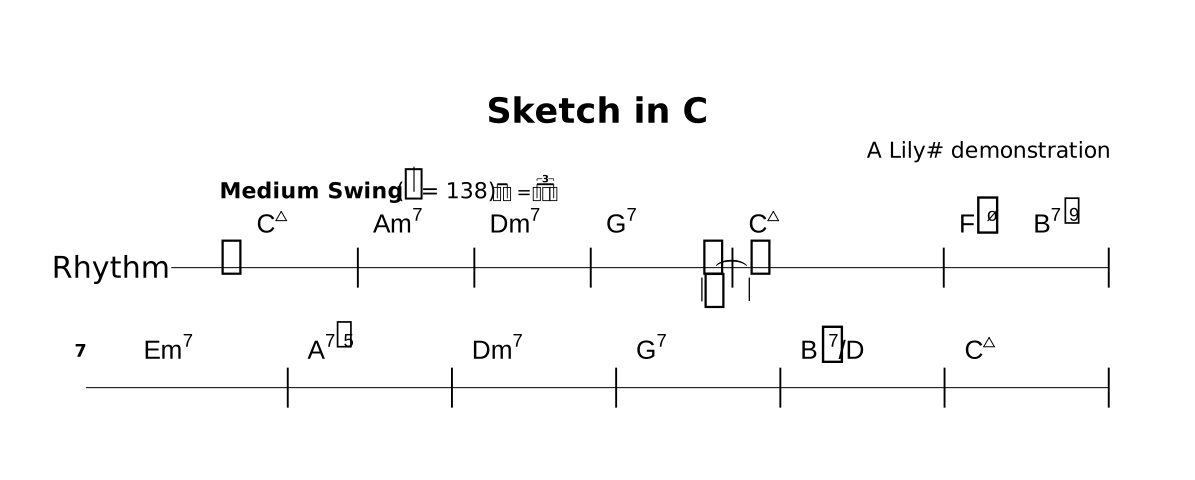
Sketch in C — twelve bars of chord symbols and exactly one rhythmic kick. No melody, no filler.
You type the symbol, not an entry language.
Cmaj7, not LilyPond's c:maj7; Bb7/D, not
bes:7/d. One rule to know: an altered tension takes + or
- — F#m7-5, B7-9, A7+5 — because
# and b belong to the root, which is what keeps
Bb9 unambiguous.
Only the hits that matter get written. A bar with nothing to say is just
| and fills itself; the one kick is s2.. /8~ — three and a half
beats of silence, then a slash head on the "and" of 4, tied across the barline so the
Cmaj7 lands an eighth early. And the one-line staff is one word:
staff comp as lines 1. That is the entire chart.
Show the source
// Sketch in C — a twelve-bar jazz chord chart written for this showcase.
// Chord symbols are typed the way they print (F#m7-5, not LilyPond's fis:m7.5-).
// An altered tension takes '+' or '-': '#' and 'b' belong to the ROOT, which is
// what keeps Bb9 from being ambiguous. Rhythm is `/`, and only the hits that
// matter are written. One `break` splits the chart into two six-bar lines.
title "Sketch in C"
composer "A Lily# demonstration"
tempo "Medium Swing" 4 = 138 swing
time 4/4
key c major

part comp { clef treble }

section Chorus {
  chords prog { Cmaj7 | Am7 | Dm7 | G7 | Cmaj7 | F#m7-5 B7-9 |
                Em7 | A7+5 | Dm7 | G7 | Bb7/D | Cmaj7 | }
  comp {
     | | | s2.. /8~ | /4 s2. | | break
     | | | | | | }  // one kick, on the "and" of 4
}

form main { ~Chorus }

score main "sketch-in-c" {
  chords prog                     // symbols across the top
  staff comp "Rhythm" as lines 1  // one-line slash staff under them
}
Repeats, and two voices on one staff
Air in D — a short dance. The repeat and its two endings live in the form, and both voices share a single staff.
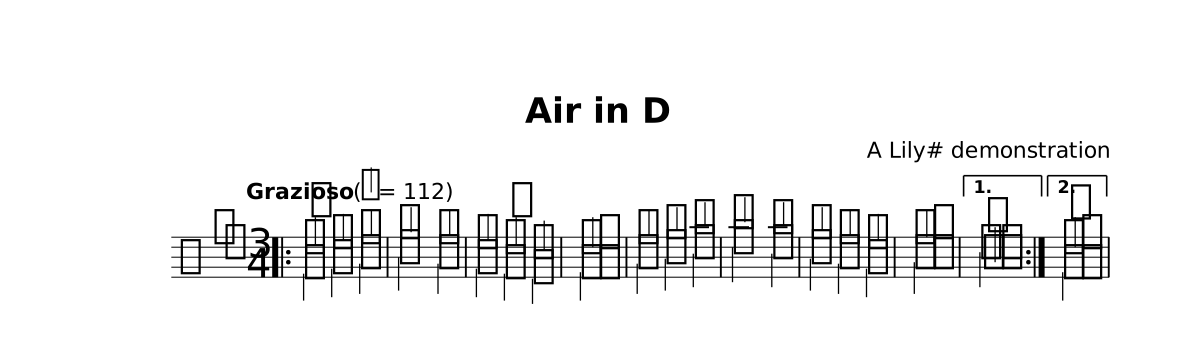
A repeat changes the playing order, so it is written where the order
is. The music itself holds no repeat barline —
form main { |: ~Body [1. ~First] :| [2. ~Second] } is what draws the repeat
dots and the numbered brackets. A :| written among the notes is refused
outright. Two voices, one staff: voice { … } { … } opens the span
once and each further brace is another voice — the stems sort themselves up and down.
Show the source
// Air in D — an original binary-form dance written for this showcase.
// Two voices share ONE staff (stems up and down), and the repeat with its
// first and second endings is written in the `form`, not in the music.
title "Air in D"
composer "A Lily# demonstration"
tempo "Grazioso" 4 = 112
time 3/4
key d major

part kb { clef treble }

section Body {
  kb { voice { d'4@mordent e fis | g2 fis4 | e4 d@turn cis | d2. |
               fis4 g a | b2 a4 | g4 fis e | fis2. | }
             { fis4 g a | b2 a4 | g4 fis e | fis2. |
               a4 b cis | d2 cis4 | b4 a g | a2. | } }
}
section First  { kb { voice { a'2.@trill | } { cis'2. | } } }
section Second { kb { voice { d'2.@fermata | } { fis2. | } } }

form main { |: ~Body [1. ~First] :| [2. ~Second] }

score main "air-in-d" {
  staff kb  // one staff — both voices live on it
}
The engraver, working
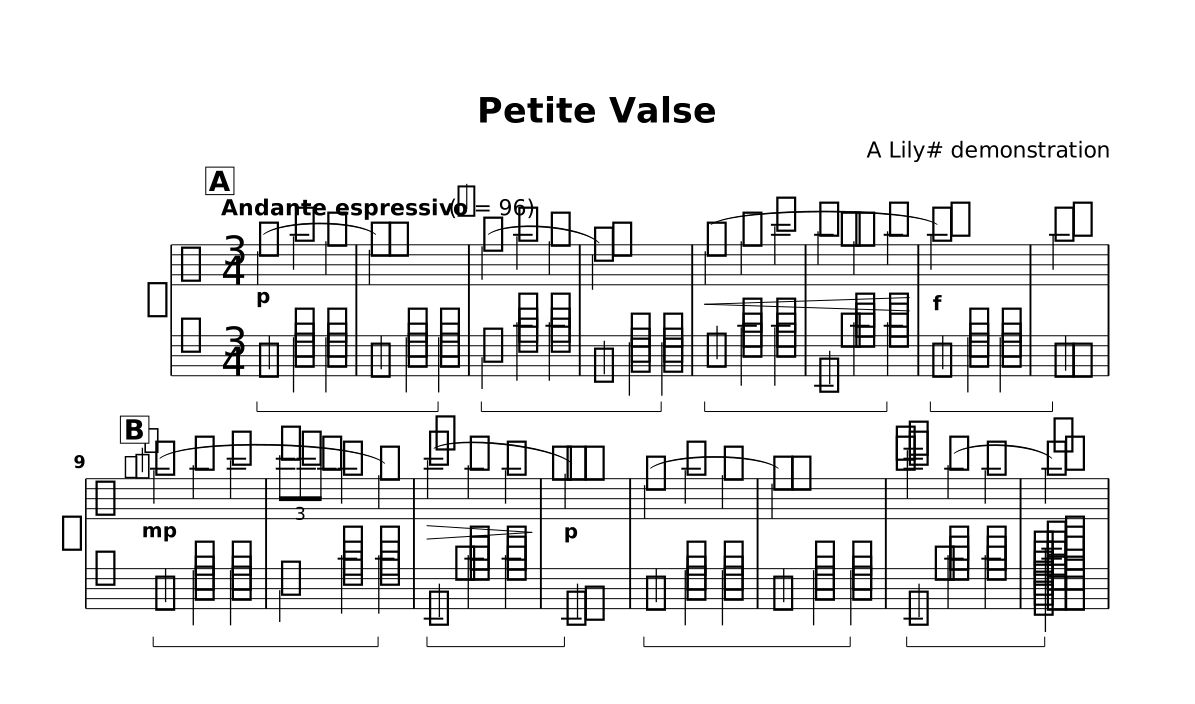
Petite Valse — a grand staff carrying much of the notation vocabulary at once.
Show the source
// Petite Valse — an original miniature written for this showcase: grand staff,
// sustain pedal, slurs, hairpins, a grace note, a triplet, a trill, rolled chords
// and a fermata, all on one page.
title "Petite Valse"
composer "A Lily# demonstration"
tempo "Andante espressivo" 4 = 96
time 3/4
key a minor

part rh { clef treble }
part lh { clef bass octave 3 }

section A {
  rh { e'4@p( a g | e2.) | f4( a g | d2.) |
       e4@cresc( g c | b4 gis b | a2.@f) | a2. | }
  lh { a4@sustain <c e a> <c e a> | a4 <c e a> <c e a>@!sustain |
       d4@sustain <f a d> <f a d> | g,4 <b d g> <b d g>@!sustain |
       c4@sustain <e g c> <e g c> | e,4 <gis b d>' <gis b d>@!sustain |
       a,4@sustain <c e a> <c e a> | a2.@!sustain | }
}
section B {
  rh { grace { gis''16 } a4@mp( b c | tuplet 3/2 { d8 c b } a4 g) |
       c4@trill@decresc( b a | gis2.@p) | e4( a g | e2.) |
       <c e>'4@arpeggio b( a | a2.@fermata) | }
  lh { a4@sustain <c e a> <c e a> | d4 <f a d> <f a d>@!sustain |
       e,4@sustain <gis b d>' <gis b d> | e,2.@!sustain |
       a4@sustain <c e a> <c e a> | a4 <c e a> <c e a>@!sustain |
       e4@sustain <gis b d>' <gis b d> | <a, e a c e,>2.@arpeggio@!sustain | }
}

form main { A B }

score main "petite-valse" {
  grandStaff {        // brace on the left, barlines drawn through
    staff rh
    staff lh
  }
}