01
What it does
A lyrics track in a Lily# score can be sung: press ▶ in the preview and a
synthetic voice sings the words on their notes, in time with the other parts. You change a word or
a note and the voice follows, singing again only the phrase you touched.
Singing is optional, and it comes from a separate free extension, Cantoria Singing Voice. Cantoria drives singing engines you install yourself; no voice comes with it. Everything runs on your own computer, and nothing is sent anywhere.
02
Install a voice
- In VS Code's Extensions view (Ctrl+Shift+X), search for Cantoria and install
Cantoria Singing Voice. If you write a
singerline without it, Lily# Studio offers to install it. - Set up at least one of the three engines below. Each is its makers' work, downloaded from them: nothing here comes with Lily# or Cantoria.
- Run Cantoria: Check Setup from the command palette (Ctrl+Shift+P) to see that all is well.
| Engine | What it is | Sings |
|---|---|---|
| VOICEVOX | One installer, many voices. The quickest start | Japanese |
| DiffSinger | Voices published one by one by their authors, as folders | Japanese, and English, Chinese or Korean where the voice has a dictionary for them |
| NEUTRINO | One download with a voice in it; more voices from its site. Windows only | Japanese |
VOICEVOX
- Download VOICEVOX from its site and install it.
Read its terms: each character has terms of its
own, and a published work credits
VOICEVOX:name. - Run Cantoria: Choose VOICEVOX Folder… and choose the folder VOICEVOX was installed in,
the one that holds
vv-engine. Cantoria then starts the engine when one of its voices is needed and stops it when VS Code closes. You need not open VOICEVOX yourself. - Write a voice:
singer "voicevox/ずんだもん-ノーマル" on melody. The list aftersinger "shows every voice it has.
DiffSinger
- Make a folder for voices,
C:\voicesfor one. - Download a voice in the OpenUtau format from its author, and read the author's terms. Unpack it
into that folder, so that the voice is a folder of its own holding a
dsconfig.yaml:C:\voices\TIGER\dsconfig.yaml. OpenUtau'sSingersfolder, if you have one, is such a folder already. - Run Cantoria: Choose Voices Folder… (DiffSinger) and choose
C:\voices. - If the voice has no
dsvocoderfolder of its own, it needs a vocoder, the part that turns what the voice computes into sound. Download the.oudepfile of the one the voice's readme names (fornsf_hifigan, the usual one,nsf_hifigan_44.1k_hop512_128bin_2024.02.oudep) from the DiffSinger community vocoders, rename it to.zip, unpack it into a folder, and choose that folder with Cantoria: Choose Vocoder Folder…. The vocoders have terms of their own, in theNOTICE.txtthey come with. - Write the voice by its folder's name:
singer "diffsinger/TIGER" on melody.
NEUTRINO
- Download NEUTRINO (Tau, v3.2 or later) from its
site and unpack it. Cantoria drives it on Windows only. It is free under its own terms. It comes with the voice
MERROW; other voices from the same site go under its
modelfolder. - Run Cantoria: Choose NEUTRINO Folder… and choose the folder that holds
bin,modelandsettings. - Write a voice:
singer "neutrino/MERROW" on melody.
A voice is named engine/name: neutrino/MERROW,
diffsinger/TIGER, voicevox/ずんだもん-ノーマル. Cantoria: Choose Default
Female Voice… and Choose Default Male Voice… pick the voices used when a score does not
name one.
03
A first song
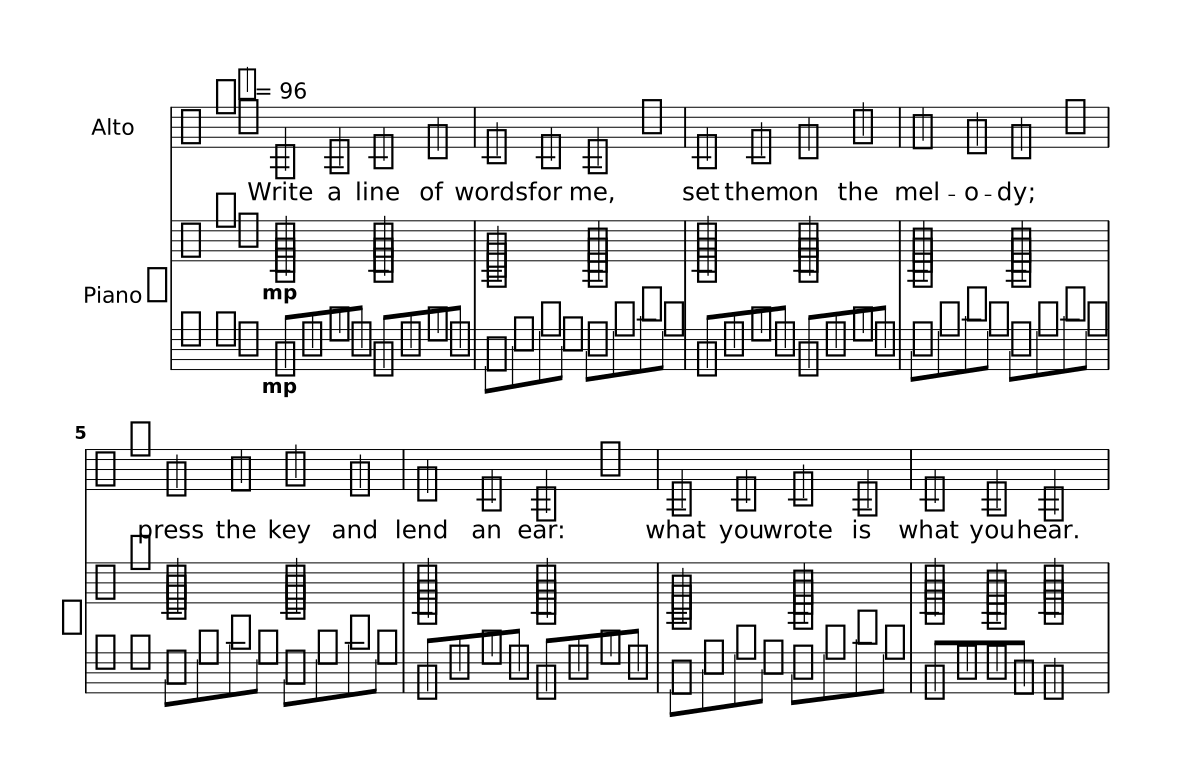
Four statements, one job each. The part names its words. lyrics holds them. A
lyrics row in a score prints them. A singer line sings them.
Show the whole file
// A part that names its words, the words, and the line that sings them. The score's row prints
// the words; the singer line is what makes them heard. The piano has no singer line, so it plays.
octave relative
time 4/4
key g major
tempo 96
language english
part melody { instrument alto  lyrics words }
part rh { instrument piano-right }
part lh { instrument piano-left }
section A {
  melody {
    g4 a b d   | c4 b a r      | b4 c d g   | fis4 e d r  |
    e4 fis g e | d4 b g r      | a4 b c a   | b4 a g2     |
  }
  lyrics words {
    Write a line of | words for me,  | set them on the | mel- o- dy;   |
    press the key and | lend an ear: | what you wrote is | what you hear. |
  }
  rh {
    <b d g>2@mp <b d g>2 | <a c e>2 <a d fis>2 | <b d g>2 <b d g>2   | <a d fis>2 <a d fis>2 |
    <c e g>2 <c e g>2    | <b d g>2 <b d g>2   | <a c e>2 <a d fis>2 | <b d g>4 <a d fis>4 <b d g>2 |
  }
  lh {
    g,8@mp d' g d g, d' g d | a8 e' a e d a' d a   | g,8 d' g d g, d' g d | d8 a' d a d, a' d a |
    c,8 g' c g c, g' c g    | g,8 d' g d g, d' g d | a8 e' a e d a' d a   | g,8 d' d a g2 |
  }
}
form { ~A }
singer female on melody
score {
  staff melody  lyrics words
  grandStaff { staff rh  staff lh }
}
The singer line stands at the top level of the file, on a line of its own, and its
order is fixed: singer WHO on PART sings WORDS. Here the part has said which words are
its own, so the line needs no name for them: singer female on melody. Without a
singer line the words are only printed, and the part plays its instrument. The piano has
none, so it plays as usual, and the voice sings over it.
language english says what the words are written in, and mel- o- dy is
one word in three syllables. English needs a voice that sings it: a DiffSinger voice with an English
dictionary. singer female takes the default female voice for the words' language; to
name one, write singer "diffsinger/TIGER" on melody.
Press ▶. The first time takes a moment while the engine loads its models. Until the voice is ready, the part's instrument plays in its place.
04
Whose words they are
Say it on the part: lyrics NAME in the part's header, with no braces. It defines
nothing; it names the track that is this part's. This is the standard way, and the one place you can
read it off the part itself.
part sop { instrument soprano  lyrics words }
part ten { instrument baritone lyrics mw }

singer female on sop     // sings the words the part names
singer male on ten
The same statement in a file written part by part, where each part holds its own sections: it stands with the header's properties, before the first section.
part sop {
  instrument soprano
  lyrics words
  section Verse { c'4 d' e' f' | }
}
lyrics words {
  section Verse { la la la la | }
}
singer female on sop
A file may also say it only by where a score puts the row (staff sop lyrics words:
the row under a staff is that staff's) or by a singer line's on PART, and it works. But
those say it for one score or for one voice. Once the part names its words, a singer
line or a row that gives that part some other track is warned about, which catches a part printing
one set of words and singing another. A part may list several tracks; a singer line
then sings the one in its language, or the one it names. In one score a part sings one set of words
in a section: a verse in Japanese and a chorus in English is written with in Verse on
one line and in Chorus on the other.
With the caret on a singer line or on the head of a lyrics block whose
part does not say it yet, the lightbulb (Ctrl+.) offers Name these words on the
part and writes it for you.
05
Choose who sings
| Written | Who sings |
|---|---|
singer sings words | the default voice for the part: a man's for a bass, baritone or tenor part, otherwise a woman's |
singer female sings words | the default female voice (male for the default male voice) |
singer "neutrino/MERROW" sings words | that voice |
singer male "neutrino/SOMA" sings words | that voice; the word before it narrows what the editor offers to voices of that gender |
A voice this computer does not have is replaced by the default voice of the part's gender, and Lily# Studio says so once, so a score you share still sings for someone with other voices.
A choir takes one line a part. Two lines with the same words on one part sing it together, and the voices may come from different engines:
singer female "diffsinger/Nishiren" on sop sings words
singer female "voicevox/ずんだもん-ノーマル" on sop sings words
singer male "neutrino/SOMA" on bas sings words
A line inside a score { } takes the place of top-level lines in that score: a named
singer's line replaces that singer's, and the others go on; a line with no name replaces every line for its part. So
one score can sing the Japanese words and another the English ones.
One song in two languages
Three things make it. Each section writes both sets of words, the second one saying its own
language. The part names both tracks, and a singer line that names no words sings
the ones in the singer's language: the file's, unless the line says another, as it says a gender
(singer alice female japanese …). And the second score holds its own
singer lines and its own lyrics row:
Show the whole file
// One melody, two languages: the default score prints and sings the English words, the score
// 日本語 the Japanese ones. The part names both tracks; each score says which it prints, and
// who sings it.
octave relative
time 4/4
key c major
tempo 100
language english
part lead { instrument alto  lyrics en  lyrics jp }
section Verse {
  lead   { e'4 e d c   | d4 e c2      | e4 e d c   | d4 d c2 | }
  lyrics en { Morn- ing on the | wa- ter- side, | no- bod- y to | hear the tide. | }
  lyrics jp language japanese { あ さ の み | ず べ に | だ れ も い | な い よ | }
}
section Chorus {
  lead   { g'4 g a g   | e4 d c2      | g'4 g a g   | e4 d c2 | }
  lyrics en { Sing it o- ver, | o- ver- now, | sing it loud- er, | a- ny- how. | }
  lyrics jp language japanese { う た お う[お] | い ま を | お お き く | そ ら へ[え] | }
}
form { Verse Chorus }

// The English score's singers: every score's default. They name no words: of the part's two
// tracks each sings the one in the singer's language, here the file's (english). They name no words: of the part's two
// tracks each sings the one in the singer's language, here the file's (english).
singer alice female on lead in Verse
singer bob   male   on lead octave -1 in Chorus
singer carol female on lead up 3 in Chorus

score {
  staff lead
  lyrics en
}

// The Japanese score: its own singer lines replace the ones above for the part, in this score.
// Each says its language as it says its gender, and so sings the Japanese words.
// Each says its language as it says its gender, and so sings the Japanese words.
score 日本語 {
  singer alice female japanese on lead in Verse
  singer bob   male   japanese on lead octave -1 in Chorus
  singer carol female japanese on lead up 3 in Chorus
  staff lead
  lyrics jp
}
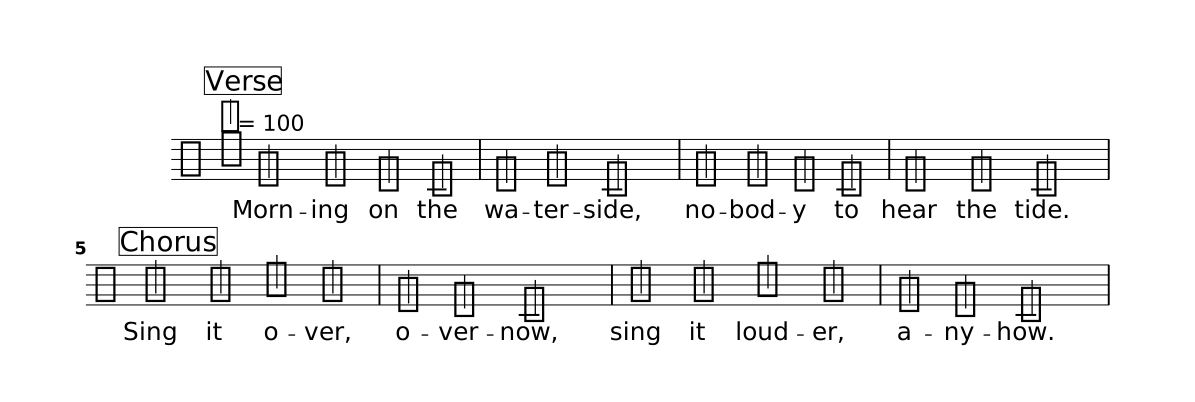
The picture is the default score, the English one. Choose 日本語 in the preview's score
list and the page shows the Japanese words, and Play sings them: the same three singers, the same
sections and the same harmony, on the other track. A kana written with a reading, as
う[お] is here, prints the first and sings the second: the long vowel of うたおう.
06
Who sings which section, and harmony
A band says: this section she sings, this one he sings, and here a third voice comes in above.
A singer line says the same, after its part:
| Written after the part | What the voice sings |
|---|---|
in Verse Bridge | only those sections, every time they are played. With no in, the whole part |
up 3 / down 6 | a third above, a sixth below, along the key: the harmony a singer finds by ear. From 2 to 15 |
octave -1 | an octave below (1 to 3 octaves, either way) |
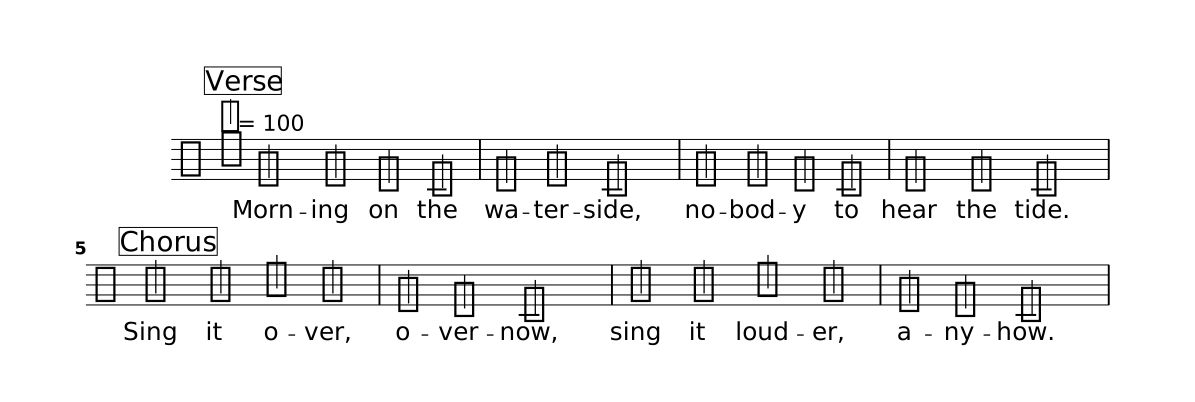
They come in any order, each once. Several lines on one part sing together, each with its own sections and its own interval:
Show the whole file
// Who sings which section, as a band says it: one voice takes the verse, another the chorus,
// and a third comes in a third above for the chorus. All three sing the lead's words on the
// lead's notes; Lily# moves the notes of the third along the key.
octave relative
time 4/4
key c major
tempo 100
language english
part lead { instrument alto  lyrics words }
section Verse {
  lead   { e'4 e d c   | d4 e c2      | e4 e d c   | d4 d c2 | }
  lyrics words { Morn- ing on the | wa- ter- side, | no- bod- y to | hear the tide. | }
}
section Chorus {
  lead   { g'4 g a g   | e4 d c2      | g'4 g a g   | e4 d c2 | }
  lyrics words { Sing it o- ver, | o- ver- now, | sing it loud- er, | a- ny- how. | }
}
form { Verse Chorus }
singer female on lead in Verse
singer male on lead octave -1 in Chorus
singer female on lead up 3 in Chorus
score { staff lead lyrics words }Lily# moves the notes before any voice sees them, so every engine sings a harmony alike. The third follows the key in force where the note is, a key change included. A note outside the scale is answered with the scale's own note: over g-sharp in A minor, a third above is b. Where that is not the harmony you want, write the line out as a part of its own.
Where none of a part's lines sings a section, the part's instrument plays it: a voice that comes in for the chorus alone leaves the verse to the instrument.
Print what a singer sings
The page shows the part as written; the harmony above is only heard. To print it, give the singer a name — a word before the gender or the voice — and name the singer in the score:
Show the whole file
// The singers have names, and the score prints what it names: under the lead, the staff of
// what carol sings (a third above; the words are the lead's, printed once) and the staff of what
// bob sings with his words (an octave below), each at rest where its singer does not sing.
// Nobody writes those notes: the singer lines know them.
octave relative
time 4/4
key c major
tempo 100
language english
part lead { instrument alto  lyrics words }
section Verse {
  lead   { e'4 e d c   | d4 e c2      | e4 e d c   | d4 d c2 | }
  lyrics words { Morn- ing on the | wa- ter- side, | no- bod- y to | hear the tide. | }
}
section Chorus {
  lead   { g'4 g a g   | e4 d c2      | g'4 g a g   | e4 d c2 | }
  lyrics words { Sing it o- ver, | o- ver- now, | sing it loud- er, | a- ny- how. | }
}
form { Verse Chorus }
singer alice female on lead in Verse
singer bob   male   on lead octave -1 in Chorus
singer carol female on lead up 3 in Chorus
score { staff lead  lyrics words  staff carol  staff bob  lyrics bob }
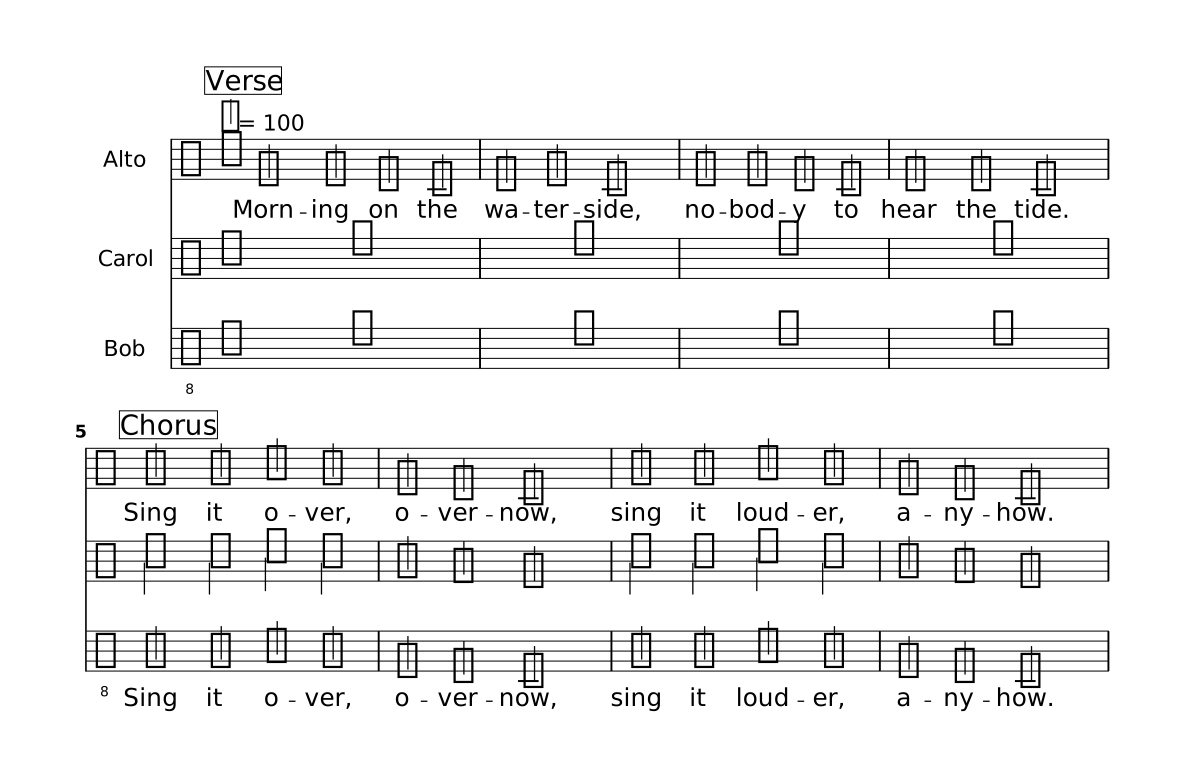
A singer's name stands where a part's or a track's does. staff carol is the staff of
what carol sings: the notes of her lines, moved as they say, in the sections they say, and whole bars
of rest elsewhere. lyrics carol is the words she sings. A score prints what it says, so
you choose: above, carol's staff has no words (they are the lead's, printed once) and bob's has his.
A row of a singer's words can also stand without her staff, under the lead's.
A singer who sings an octave below throughout is written in the treble clef an octave down, so the
notes stand where the part's do. Such a score sings what it shows. A sheet for one singer is a score
of its own: score carol { staff carol lyrics carol }. In a score that has singer lines
of its own — the Japanese score of One song in two languages — a singer's staff
and words are the ones those lines say.
Lines of one name are one singer. Write the voice on one of them
(singer alice female "diffsinger/…" on lead in Verse) and leave it off the others
(singer alice on lead up 3 in Chorus). A singer cannot have a part's name: in a
score that name is the part.
Where a third is not the note, write the harmony out and mend it. On a named singer's line the
light bulb offers Write carol's notes out as a part: the notes become a part called
carol beside the lead, her words a track of her own, and her lines one line that sings
it. For an instrument — a second violin a third under the first — the command
Lily#: Write a Harmony Part… asks which part, how far, which sections and the new part's name,
and writes it the same way.
07
How a voice sings
Leave this out and a voice sings as it does by itself, which is usually what you want. To change
it, write with at the end of the singer line and, after it, a name and a
value for each setting, with no commas:
singer "diffsinger/Nishiren/2P" on melody with breathiness 3 gender -0.2
The names are the engine's own, so what you can write depends on the voice. The editor lists what the line's voice takes, each with its range, and marks a name the voice does not take.
| Engine | Settings |
|---|---|
| DiffSinger | what the voice's model was trained with, commonly breathiness, tension, voicing (each added to what the voice does by itself), gender, velocity |
| NEUTRINO | support: another NEUTRINO voice by name, as a support model |
| VOICEVOX | none |
Inside the music the same names go on a note, and hold from that note on as a dynamic does:
c'4@sing(breathiness 6) d' e' f' |      // from here on
g'2@sing(breathiness to 9) r2 |          // arrives at 9 with this note, gliding from 6
c'4@sing(breathiness default) d' e' f' | // back to the singer line's value
A setting that an engine takes once for the whole voice, such as support, belongs on
the singer line. transpose is not a setting: to sing higher or lower than
the part, use up, down or octave above.
08
Write words a voice can read
For Japanese, write kana. A kanji word prints as written but is sung only with a reading
glued to it in square brackets: 漢[かん] prints 漢 and sings かん.
Words are japanese unless the file says otherwise, with a line of its own for the whole
file or on a track. The names are japanese, english, chinese,
korean and latin (Latin is printed and checked; no voice sings it yet). A line no
installed voice can sing is played on its part's instrument, and the editor says why once;
lysc check --singer cantoria song.lys lists which singer lines have a voice on this machine. With the caret on a language, Ctrl+Shift+Up and
Ctrl+Shift+Down change it.
language english
lyrics ja language japanese { さ く ら | }
Slurs, ties and melismas are read as they are for printing: see
Lyrics in the reference. @breath on a sung note is a
breath, and dynamics, accents and hairpins set how loud the voice is.
09
Voice, instrument, or both
A part a singer line sings is heard as its voice, and any other part as its
instrument. A staff can say otherwise for its score:
| Written in the score | What you hear |
|---|---|
staff sop | the voice if the part has a singer, otherwise the instrument |
staff sop sounds both | voice and instrument together |
staff sop sounds instrument | the instrument only |
staff sop hidden | sounds as usual, and the staff is not drawn: a sung line the page does not show |
Only a part with a staff or tab line in the score sounds.
10
Humming and note names
Two track names need no lyrics { } block, because they are made from the notes:
singer female on sop sings hum        // hums on ん
singer female on alt sings solfege    // sings the note names
score { staff alt  lyrics solfege }   // prints the names under the notes
Solfege is movable do, in the file's language.
11
In the editor
- The line writes itself. Type
singerand completion lists the installed voices that sing the words' language. Choose one andsingsis written, with the file's lyrics listed; choose the words andonis written, with the parts. After the part comeup,down,octaveandin(the sections by name), thenwithand the settings the voice takes, with values to begin from. - The step keys. Ctrl+Shift+Up and Ctrl+Shift+Down change what the
caret is on: the voice on its name,
maleandfemale, the words onsings, the number ofup 3oroctave -1, and the number of a setting. - Hear a setting. With the caret in a line's
with …, and at each step of one of its numbers, the voice says its short phrase as the line has it sing. - Hear a voice. Click a
singerline and the voice says a short phrase, at the pitch of the line's gender. Ctrl+Shift+Up and Ctrl+Shift+Down go through the voices, each heard as you reach it; Ctrl+Shift+PageUp and PageDown go to the first voice of another engine. While the piece plays, a click stays silent. - The microphone over ▶ is grey and still while a voice is not sung yet, pulses while the engine sings it, and turns blue when it is ready. The bar under it runs from empty to full over what has to be sung anew. A Play meanwhile plays the part's instrument, and a voice that becomes ready while the piece plays comes in at the next note it sings.
- Edits sing only what changed. About a second and a half after you stop typing, the
engine sings the phrases you changed and keeps the rest. A phrase ends at a rest. If it was still
singing an older text, it finishes the phrase it is on and moves on; pressing ▶ skips the wait.
On a slow computer, set
lilysharp.playback.singerPreparetoonPlayso that the voice is sung only when you press ▶. - The practice menu has a line for each voice, with a switch, a fader and a microphone of its own (Practice).
- What is kept. Sung phrases stay on disk between sessions, up to
cantoria.cacheSizeMB(1000 MB by default), the ones unused longest going first. Cantoria: Forget Rendered Voices clears them.
12
Export the song
The preview's Export as WAV mixes the voices in with the instruments. From the command line,
lysc wav does the same when it is given a cantoria program
(Cantoria's repository has it), with a sound font
for the instruments:
lysc wav --soundfont GeneralUser.sf2 --singer cantoria song.lys
13
Voices and their terms
Each voice is its author's work under its author's terms, and Lily# and Cantoria bundle none. Read
those terms before you publish what a voice sang. VOICEVOX has
terms of its own, each character has its own, and a
published work credits VOICEVOX:name.