Lesson 3 of 12
Rhythm
In VS Code, in an empty .lys file: type lesson, press Ctrl+Space and pick lesson-03-rhythm.
A dot adds half: 4. = dotted quarter. r4 = rest. c2~ c4 = tie.
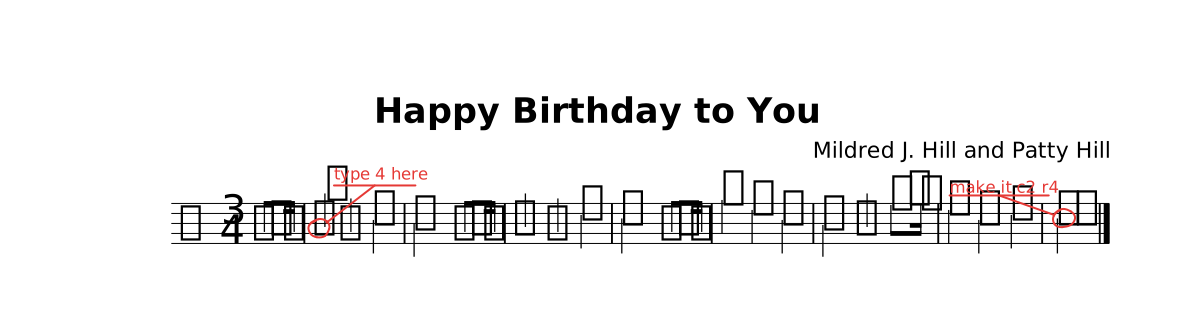
The lesson as it opens: the red rings mark where a step happens.
Try
Do what the red circles say, then delete each @todo(…).
The whole lesson
// Lesson 3 of 12 — Rhythm
// Preview: Ctrl+K V
//
// A dot adds half: `4.` = dotted quarter.  `r4` = rest.  `c2~ c4` = tie.

title "Happy Birthday to You"
composer "Mildred J. Hill and Patty Hill"

time 3/4

section A { partial 4 }         // a pickup: the first bar is one beat

part melody {
  clef treble
  section A {
    g'8. g16 | a8@todo("type 4 here") g4 c | b2 g8. g16 | a4 g d' | c2 g8. g16 |
    g'4 e c | b a f'8. f16 | e4 c d | c2.@todo("make it c2 r4") |.
  }
}

form { ~A }

score { staff melody }

// TRY: do what the red circles say, then delete each `@todo(…)`.
//
// NEXT — type `lesson` on a new line and pick `lesson-04-keys`.